What's waiting for you, right on the Dock
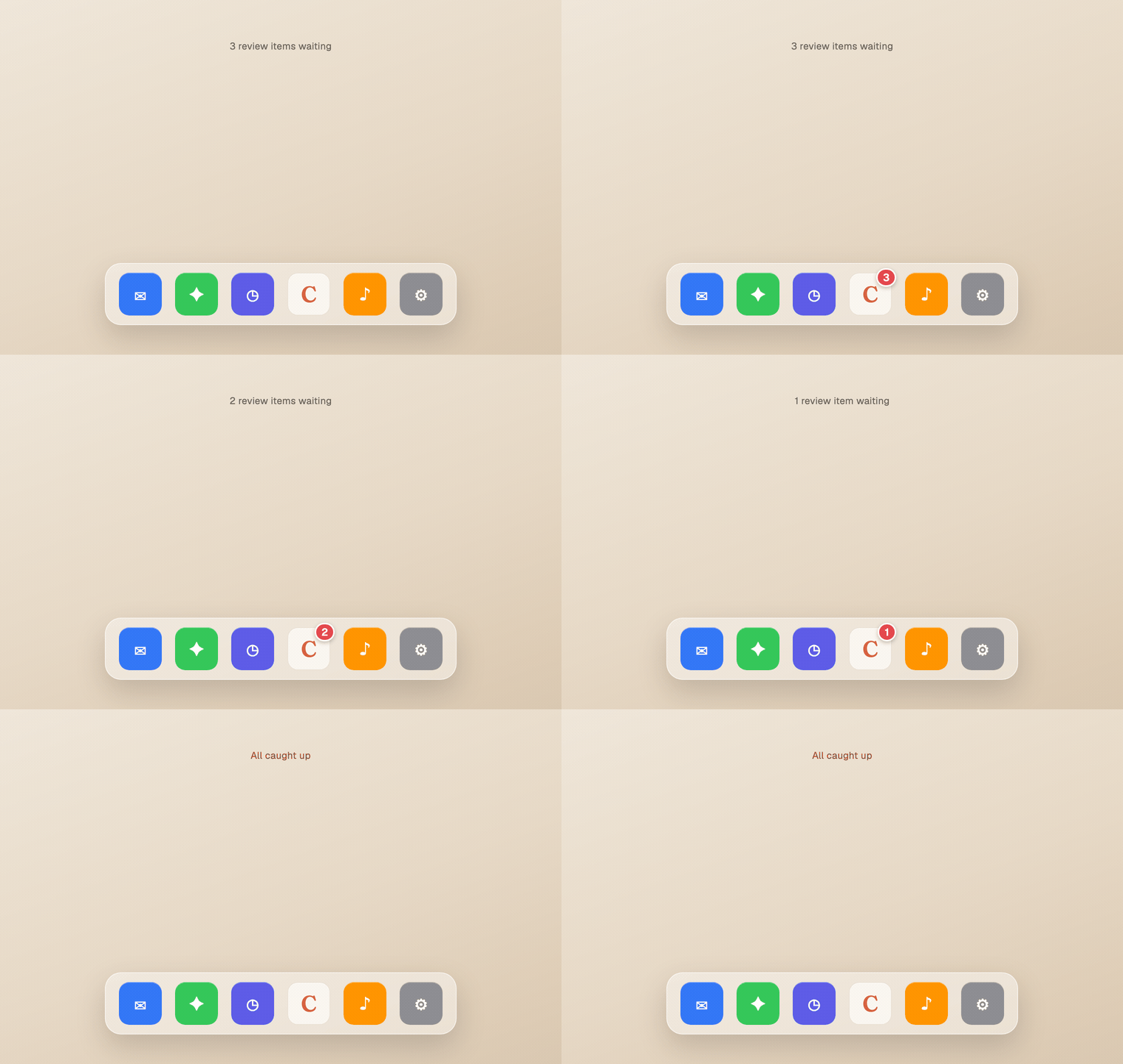
The Chief desktop app now puts a red count on its Dock icon when you have review items waiting. You can see there's something to clear without opening the app, and it ticks down to nothing as you work through it.
Mitch Kessler
Founder
Chief quietly sets things aside for you to confirm. A task that sounds done. A suggestion to make from a meeting. Small calls that are yours to make. But if the app isn't open, you don't know they're there, and what you can't see is what you forget.
Now it's on your Dock.
A count you can't miss
The desktop app puts a red badge on its Dock icon, the same one your mail and messages use, showing how many review items are waiting on you. Glance at the Dock and you know there's something to clear, without opening a thing.
It moves with your work
- The number is live. As Chief surfaces new items, it climbs. As you clear them, it falls.
- Work it down to zero and the badge disappears. An empty Dock icon means you're caught up, no nagging dot lingering after the work is done.
- It's the real backlog, tied to the same review queue inside the app, not a separate counter that drifts out of sync.
Where you see it
It's automatic in the Chief desktop app, nothing to turn on. The badge shows when you have items pending and clears itself when you don't.