Tell Chief how to think about each project
Give a project its own standing instructions and Chief carries them into every briefing and meeting prep for that work. "Always flag budget risk." "Keep me close to the engineering thread." Say it once, and it shapes how Chief reads that project from then on.
Mitch Kessler
Founder
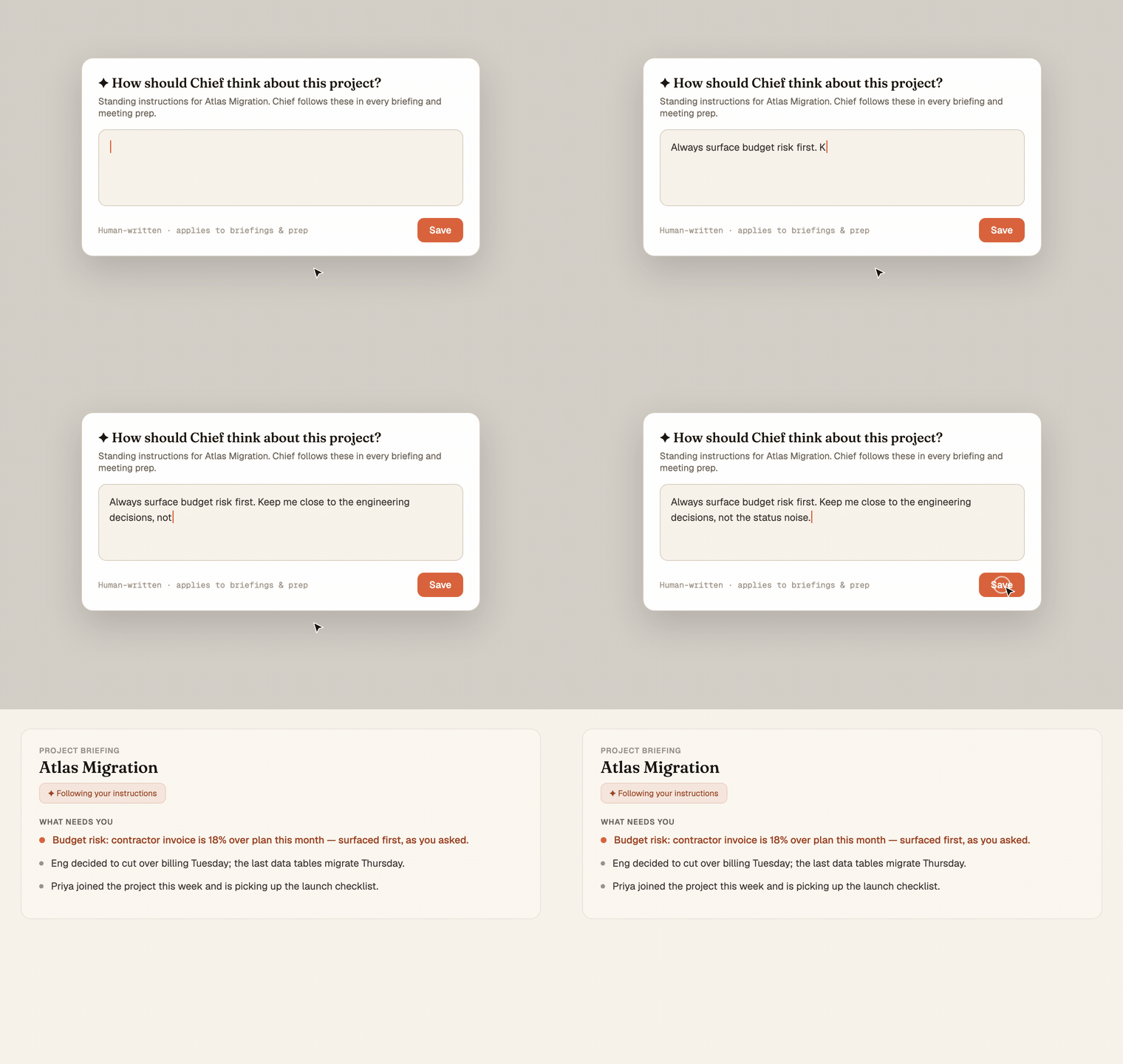
Two projects are never the same job. One is a fundraise where the only thing that matters is who's wavering and what they need next. Another is a build where you live in the engineering thread and budget is the thing that bites. Chief writes you a sharp briefing on both, but it's reading them the same way, and the thing that matters most on each is exactly the thing a general summary tends to flatten.
Now you can tell it what matters.
Standing instructions, per project
Each project has its own instruction box. Write what you want Chief to keep front of mind for that work, in your own words:
- "Always surface budget risk first."
- "Keep me close to the engineering decisions, not the status noise."
- "This is a sensitive negotiation, stay neutral and factual."
- "Flag anyone who's gone quiet for more than a week."
You write it once. It sticks to the project.
It shapes the work, everywhere that project shows up
Those instructions aren't a note you'll never see again. Chief threads them into how it thinks about that project:
- Project briefings lead with what you said to lead with.
- Meeting prep for any meeting tied to the project inherits the same lens, so you walk in primed on the thing you actually care about.
- It carries through whether the meeting is linked to the project directly or Chief infers the connection.
You point, Chief does the work. It still reads everything and does the thinking for you, it just leads with the thing you said to lead with.
Yours to set, safe by default
Instructions are human-written, capped at a reasonable length, and editable any time. The project's creator or an org admin sets them, and they're walled to the project, so a shared project carries one clear set of marching orders, not a tug of war.
Where you see it
Open a project and look for the AI instructions control on the project page, or in the project's menu from a dossier. Write a sentence or two. Your next briefing already reads the way you asked.