Arrange your projects the way you think
Group your projects under headings you name, drag them into any order, and nest them into a structure that matches how your work is actually shaped. Prefer it simple? It stays alphabetical until you decide otherwise, one toggle flips it back.
Mitch Kessler
Founder
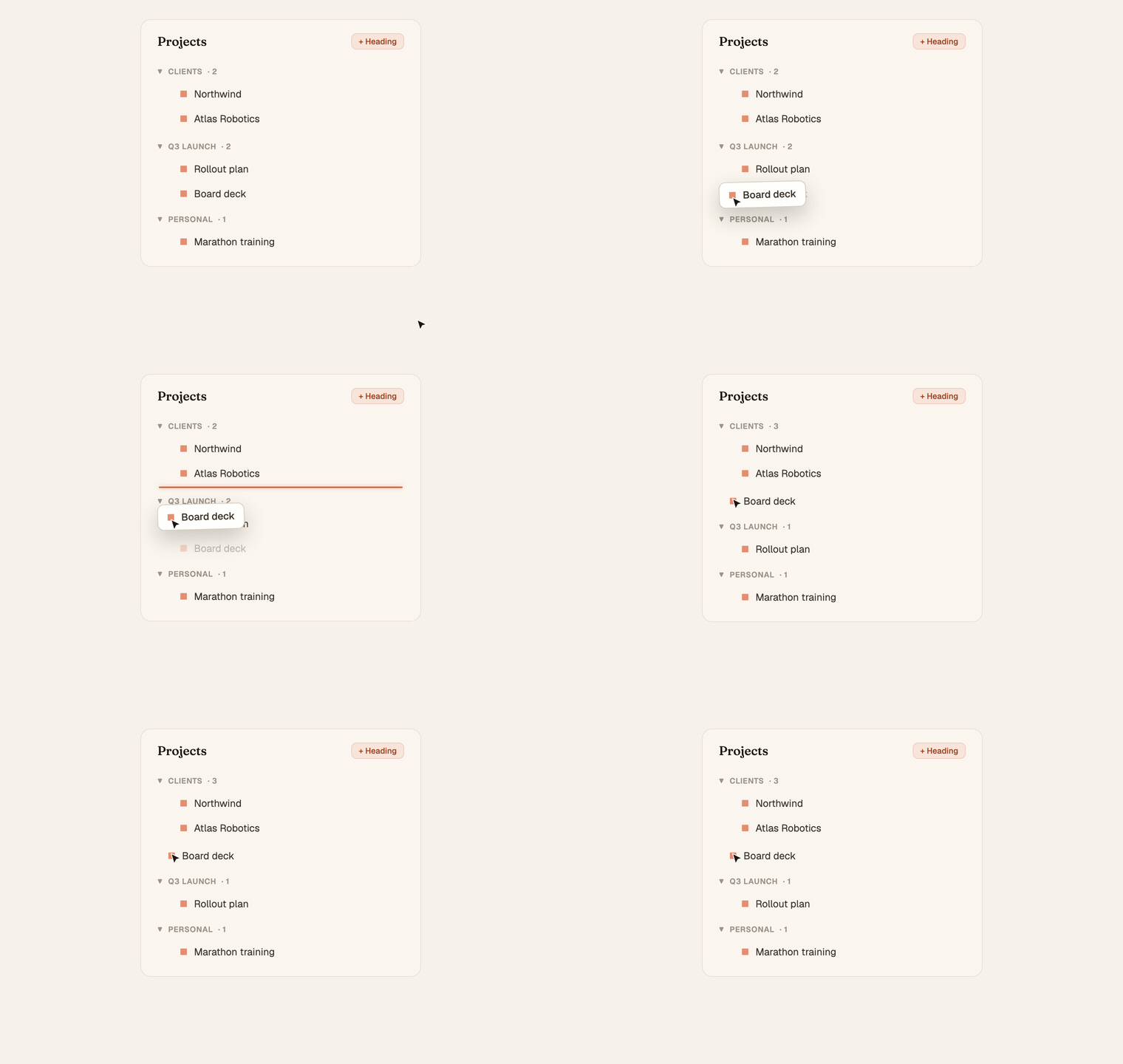
Your sidebar fills up. A dozen projects, then two dozen, and the one you actually need is somewhere in the middle of a flat list that orders itself however it wants. You end up scanning the whole thing every time instead of reaching straight for it.
That's fixed now. The sidebar bends to the way you group your work.
What you can do
- Create headings and drop projects under them. Call them whatever your work calls itself, "Clients", "Q3", "On hold", "Personal", and group the projects that belong together.
- Drag projects into any order. Grab the little handle on the left of a project and move it up or down inside its heading.
- Drag projects between headings. Pull a project out of one heading and into another. That's your folder structure, built by hand in seconds.
- Reorder the headings themselves. The heading that matters most this week goes to the top. Drag it there.
- Move-to-heading menu. When you'd rather not drag, each project has a menu to drop it straight into the heading you want.
It starts sorted, and stays that way until you say so
By default everything is alphabetical, headings and the projects inside them. You don't have to organize anything to get a sane sidebar.
The moment you drag something, that becomes the order Chief remembers. Want to wipe the slate and go back to clean alphabetical? Hover a heading and hit the Sort A→Z toggle, it re-alphabetizes that bucket, headings and projects, in one click. Arrange by hand, or alphabetize by reflex. Your call, any time.
It's yours alone
Your layout is yours. The headings you create and the order you set live on your account, not the project. A teammate in the same shared project can group their sidebar a completely different way, and neither of you disturbs the other. Everyone organizes their own workspace around their own attention.
Where you see it
Open the sidebar. Add a heading from the bucket header, drag a project or two under it, and watch the structure hold exactly where you left it, every session, every device.