Your meetings move your tasks forward
Talk through your work in a meeting and Chief updates the tasks you already had. It advances the ones that moved, flags the ones that got stuck, and surfaces the ones that sound finished. No manual status-keeping.
Mitch Kessler
Founder
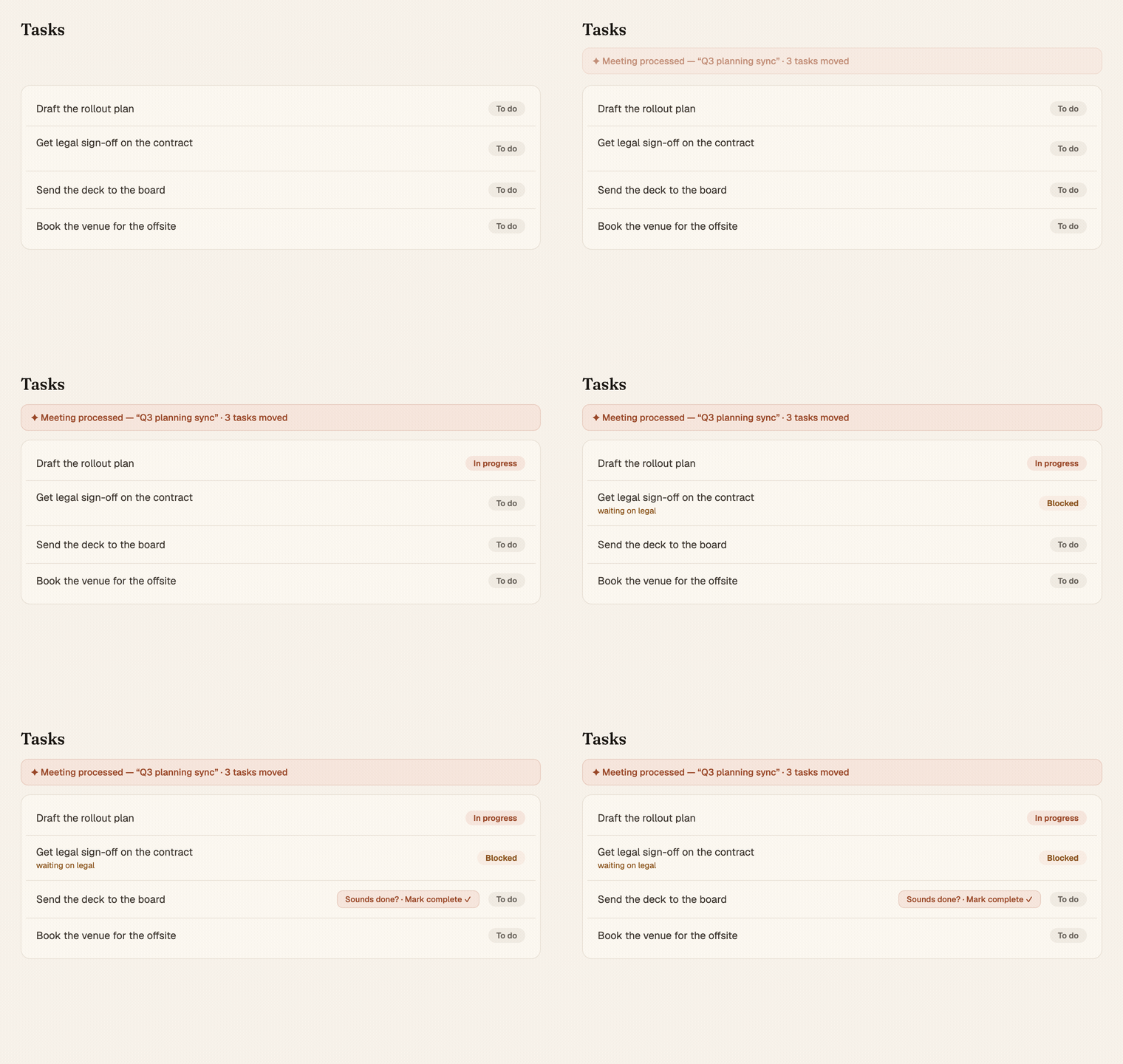
You finish a meeting where half your open tasks came up. "Yeah, I started that." "That one's stuck until legal gets back to us." "That other thing's basically done, let's drop it."
Then you go back to your task list and none of it reflects any of that. So you either update everything by hand, or (more likely) you don't, and your tasks quietly drift out of sync with reality.
That gap is closed now.
What happens
When Chief processes a meeting, it matches what was discussed against the tasks you already have. Not new ones it invents, your real existing tasks. Then it reacts to how each one moved:
- A task you made progress on moves to In progress automatically. You said you started it, Chief reflects that.
- A task that got stuck moves to Blocked, a new status for work that's waiting on something or someone else. Now you can see at a glance what's parked and why, instead of it sitting in your list looking like it's on you. And the moment a later meeting says it's moving again, Chief un-blocks it back to In progress.
- A task that sounds finished or dropped doesn't get touched silently. It shows up as a suggestion in your review ("this sounds done, mark it?") for you to confirm or ignore.
- Everything else is left exactly as it was.
Why it works this way
Moving a task to In progress or Blocked is cheap and reversible. If Chief reads the room slightly wrong, you flip it back in a second. No harm. So Chief just does it and keeps your list current.
Closing a task is the opposite: terminal, and genuinely annoying when it's wrong. So Chief never closes anything on its own. Those always come to you as a suggestion you approve. The system acts confidently where mistakes are trivial and asks where they aren't.
Every change also leaves a trace. Chief records why a task moved, tied to the meeting that moved it. So when you look at a task later, the history explains itself instead of being a mystery status change.
Where you see it
- Your tasks quietly reflect what you actually talked about. The In-progress column fills itself in, and a clear Blocked state separates "waiting on someone" from "waiting on me."
- Your review surfaces the "sounds done?" suggestions, one tap to confirm.
Stop narrating your own task list after every call. Just have the meeting. Chief keeps the work honest.