Open a contact, see every email with them
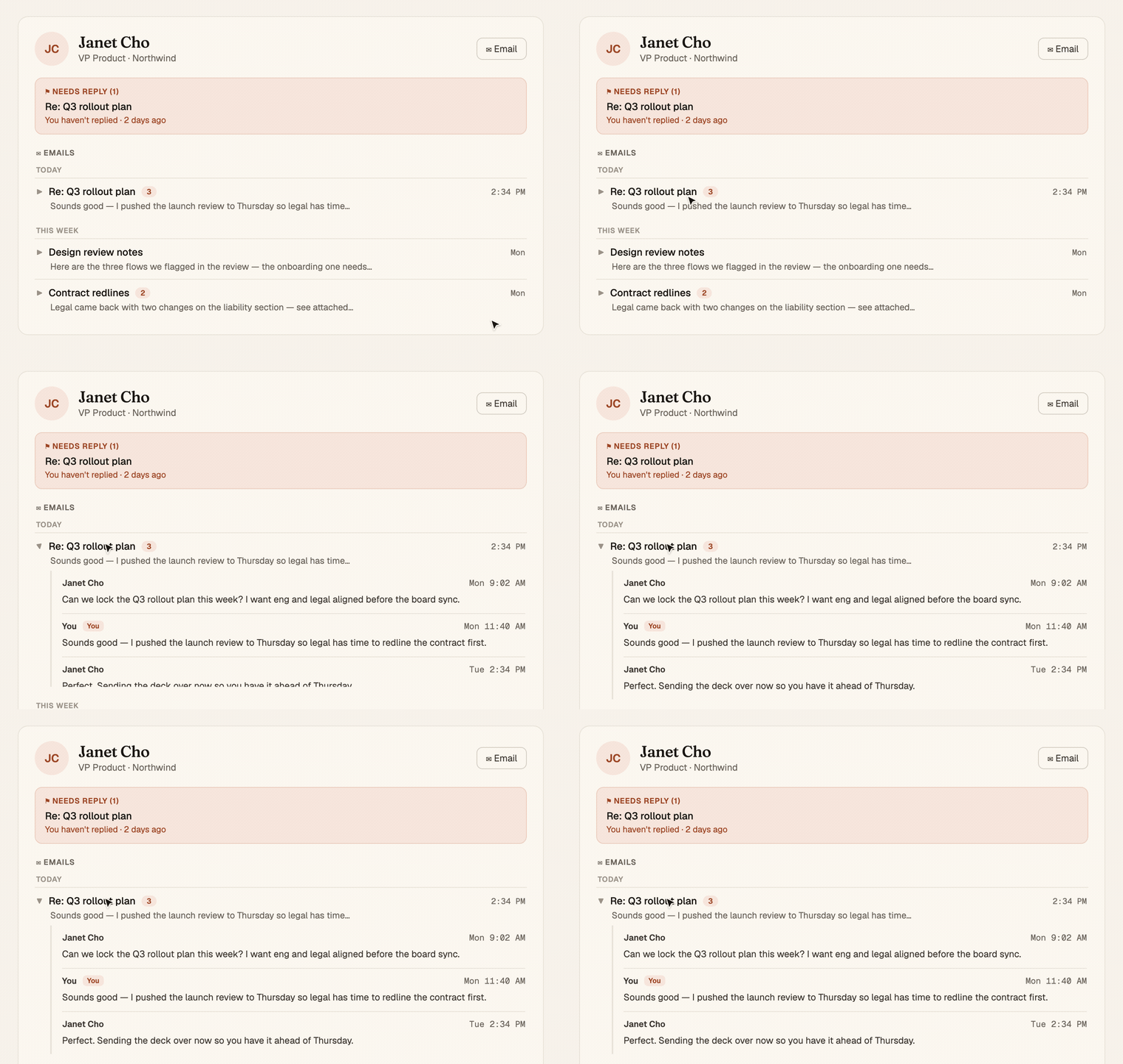
A person's page now carries your whole email history with them. Threads grouped by when they happened, each one expands inline to the full conversation, rendered clean and readable. And a "Needs reply" box at the top shows the ones still waiting on you.
Mitch Kessler
Founder
You open someone's page to remember where things stand, and the one thing that actually holds the relationship, the emails you've traded, isn't there. So you leave, go dig through your inbox, search their name, scroll past newsletters and receipts, find the thread, lose your place, and come back having spent five minutes to answer a question the page should have answered for you.
A contact's page holds their email now.
What you'll see
- An Emails section, right on the page. Every thread you've exchanged with this person, grouped by Today, This week, and Earlier so the recent stuff is where your eye lands first.
- One row per conversation, not per message. A thread with five replies is one row with a small count next to it, not five lines of clutter. Subject, a one-line preview, the date.
- Click to read the whole thing. A thread expands right where it sits, no modal, no new tab. The full back-and-forth unfolds inline: each message, who sent it, when, with a "You" tag on your own replies.
- Readable, every time. Email is messy HTML by nature, loud signatures, tracking pixels, clashing colors. Chief strips all of that and renders each message clean in its own type, so a five-year-old thread reads as calmly as a fresh one.
Needs reply, surfaced at the top
When this person is waiting on you, you see it before anything else. A Needs reply box sits at the top of their page with the threads still owed an answer, each with a short note on why it's flagged.
This reads your inbox live, not a stale snapshot. It catches threads on any address this person uses, even ones Chief hasn't filed as activity yet, so "waiting on you" means right now, not last sync.
Where you see it
Open any contact. The Emails section is there under their summary and meetings, collapsed until you want it. If they owe you nothing and you owe them nothing, the page stays quiet. The moment a thread needs you, it rises to the top.
Stop leaving a person's page to go find the conversation that belongs on it. It's already there.